- English
-
EnglishDeutschItaliaFrançais한국의русскийSvenskaNederlandespañolPortuguêspolski繁体中文SuomiGaeilgeSlovenskáSlovenijaČeštinaMelayuMagyarországHrvatskaDanskromânescIndonesiaΕλλάδαБългарски езикGalegolietuviųMaoriRepublika e ShqipërisëالعربيةአማርኛAzərbaycanEesti VabariikEuskeraБеларусьLëtzebuergeschAyitiAfrikaansBosnaíslenskaCambodiaမြန်မာМонголулсМакедонскиmalaɡasʲພາສາລາວKurdîსაქართველოIsiXhosaفارسیisiZuluPilipinoසිංහලTürk diliTiếng ViệtहिंदीТоҷикӣاردوภาษาไทยO'zbekKongeriketবাংলা ভাষারChicheŵaSamoa日本語SesothoCрпскиKiswahiliУкраїнаनेपालीעִבְרִיתپښتوКыргыз тилиҚазақшаCatalàCorsaLatviešuHausaગુજરાતીಕನ್ನಡkannaḍaमराठी

Display Cable Types Explained: Features and Differences
Catalog
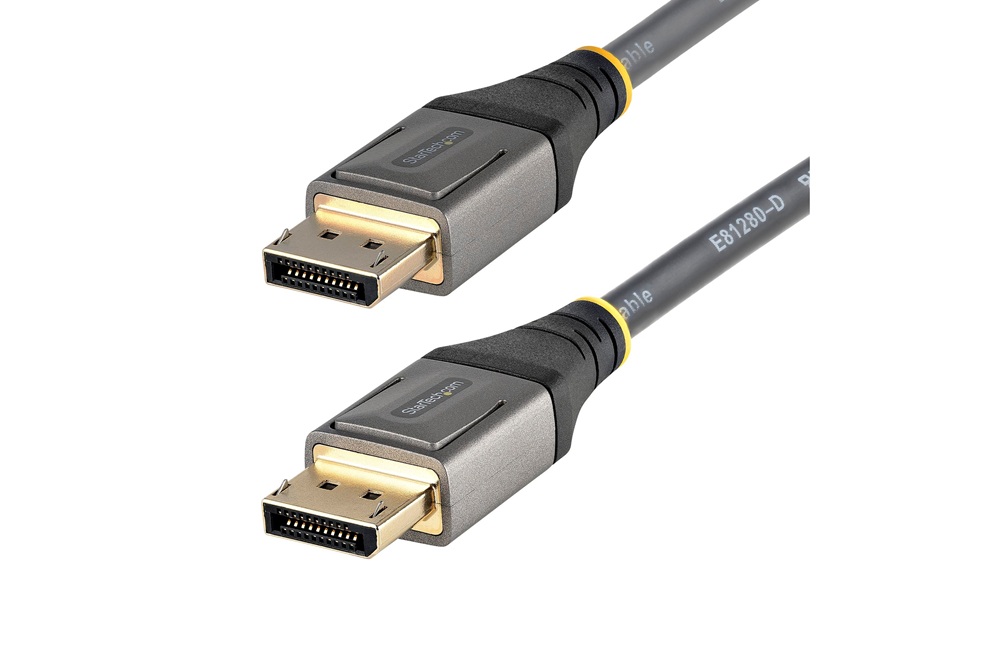
DisplayPort (DP) Cable Overview
The DisplayPort (DP) cable is a modern digital interface used to connect computers to monitors and home systems with high efficiency. Supported by companies like AMD, Intel, and NVIDIA, it serves as a flexible alternative to older standards such as VGA, DVI, and HDMI. It uses packet-based data transfer, similar to Ethernet and USB, to support high bandwidth and future upgrades.
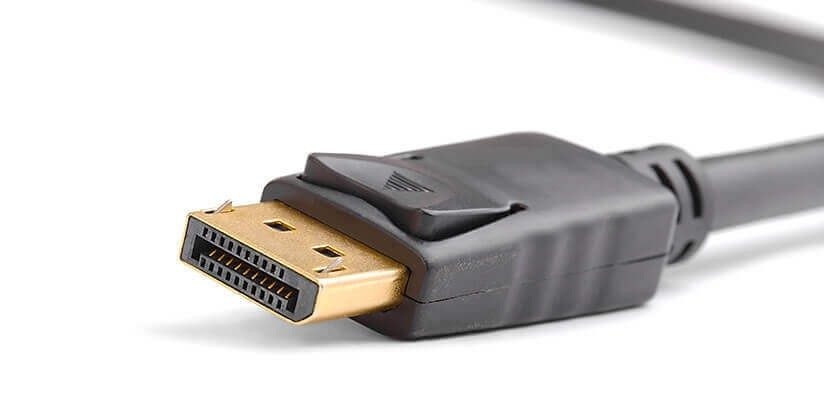
Its design embeds timing signals into the data stream, reducing pin count while supporting high resolutions and refresh rates. It delivers up to 16-bit color, supports 8-channel audio at 192 kHz, and includes an auxiliary channel for added functions like USB support under VESA standards.
DisplayPort handles 4K, 8K, and multi-monitor setups with stable performance. It supports high refresh rates and HDR, making it suitable for gaming, editing, and professional work. Dual-mode support allows connection to HDMI and DVI using adapters, ensuring compatibility with older devices.
It also supports daisy-chaining for multiple displays and reduces cable clutter by combining signals into one cable. With data rates up to 5.4 Gbit/s per lane, it can handle demanding tasks like 4K at 120 Hz and 8K at 60 Hz with smooth and stable output.
Overall, DisplayPort offers strong performance, flexibility, and future-ready design, making it a reliable choice for modern and mixed system setups.
HDMI Cable
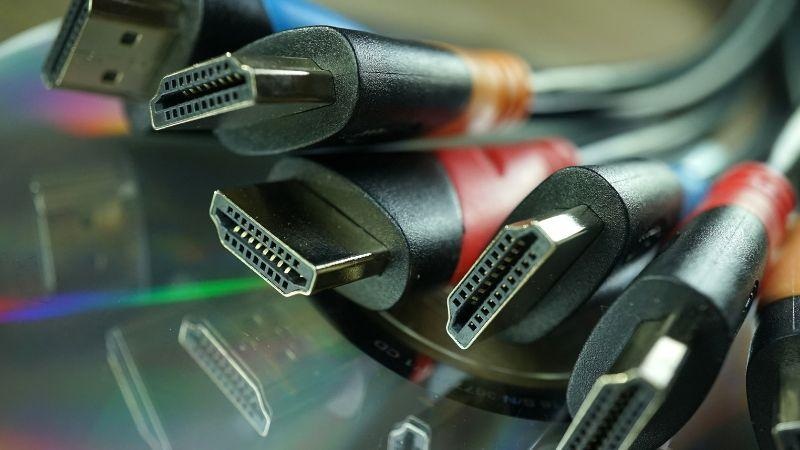
HDMI has improved over time to support higher resolutions and better performance. Early versions like HDMI 1.0 supported up to 1080p at 60Hz, while newer versions like HDMI 2.1 can handle 4K at 120Hz and 8K at 60Hz. It also includes features like dynamic HDR for better image quality, eARC for improved audio return, and low latency modes for smoother gaming and video playback.
The standard HDMI connector uses a 19-pin design and is widely supported across devices. Major companies such as Sony, Panasonic, and Hitachi have helped make HDMI a global standard in consumer electronics.
To get the best performance, proper cable selection and setup are important. Long cables can reduce signal quality, so active cables or signal boosters may be needed for longer distances. Choosing the right version also matters, for example, HDMI 2.0 works well for 4K at 60Hz, while HDMI 2.1 is better for higher refresh rates and advanced features like variable refresh rate (VRR).
HDMI is often compared to DisplayPort. HDMI focuses on ease of use and wide compatibility, making it ideal for TVs and home setups. DisplayPort, on the other hand, is more suited for professional use and multi-monitor setups due to its higher flexibility and advanced data handling.
In simple terms, HDMI is best for everyday entertainment and easy connections, while DisplayPort is preferred for more demanding or specialized setups. The right choice depends on how the system is used.
As technology continues to improve, HDMI keeps evolving to support higher resolutions and more immersive experiences, including AR, VR, and advanced video formats. It remains a reliable and future-ready option for both current and upcoming devices.
DVI Cable
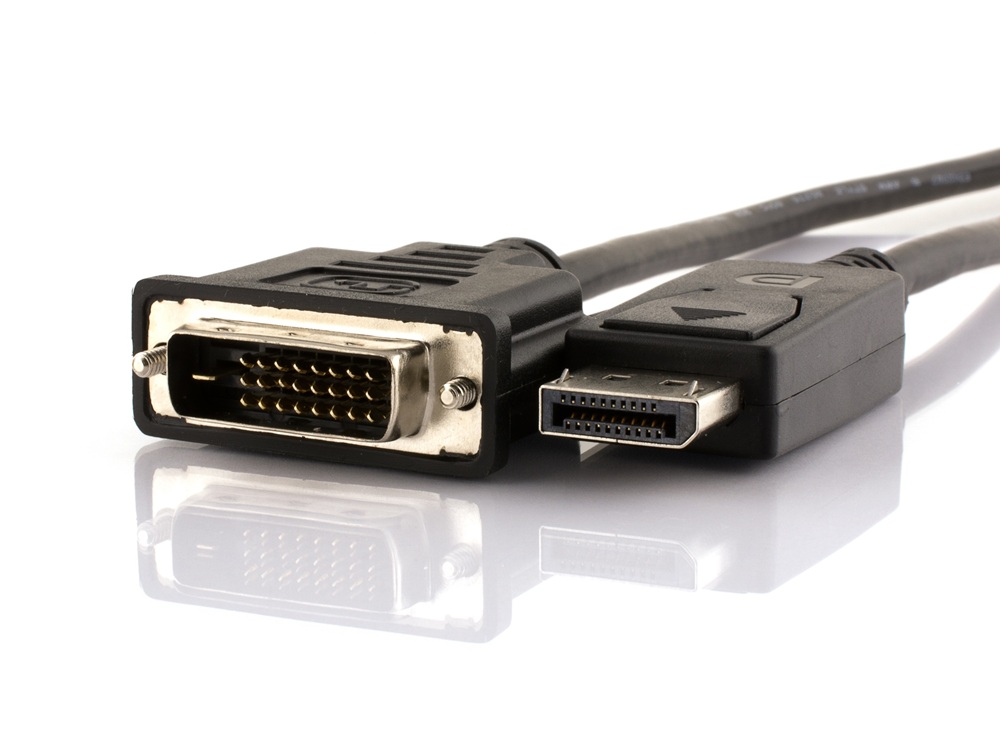
Digital Visual Interface (DVI) represents a standard for high-definition video transmission, intentionally designed to deliver uncompressed digital signals with a sharp focus on visual quality. Notably, this standard excludes native audio support, positioning itself as a specialized solution for applications where video clarity is paramount. At the heart of its consistent performance lies the Transition Minimized Differential Signaling (TMDS) encoding technique, an advanced approach that not only stabilizes data transmission but also optimizes it for efficiency. This means DVI can sustain its signal integrity across considerable distances, a characteristic especially advantageous in diverse environments such as PCs, HDTVs, projectors, and medical imaging platforms.
DVI technology presents itself in multiple forms, designed to address the varying demands of users and devices. It is this configurational diversity that allows the standard to adeptly satisfy a wide range of needs.
Types of DVI Interfaces:
• DVI-A: Specifically designed for analog signals, suits legacy systems.• DVI-D: Dedicated to transmitting digital signals, ensuring precision in modern displays.
• DVI-I: A hybrid interface supporting both analog and digital signals, offering versatility in cross-compatible setups.
These distinct types underpin DVI's evolution from traditional analog formats to comprehensive digital solutions, each serving unique use cases.
DVI connectors are available in five prominent variations, categorized by their specific pin arrangements:
• Single-link DVI-D (18+1 pins): Supports resolutions up to 1920x1200 at 60Hz, making it a frequent choice for standard computer monitors.• Dual-link DVI-I (24+5 pins): Provides expanded bandwidth, accommodating resolutions as high as 2560x1600 at 60Hz or 1080p at 120Hz, ideal for demanding tasks such as high-resolution video editing and immersive 3D gaming.
This scalable design allows DVI to cater to both everyday consumer needs and the exacting demands of professional environments.
Challenges in the Era of Modern Video Standards
While DVI has proven its capabilities, its use has declined as newer technologies like HDMI and DisplayPort rise in prominence. Several challenges have influenced this shift:
• Lack of native audio transmission necessitates separate equipment, adding layers of complexity for setups requiring synchronized audio-visual output.• Limited support for ultra-HD resolutions, such as 4K and beyond, makes it an unsuitable choice for cutting-edge, multimedia-rich applications.
• Compared to the all-in-one convenience of HDMI and DisplayPort, DVI often requires cumbersome workarounds, external audio solutions or additional cables, to meet evolving multimedia demands.
These constraints underline the growing preference for more contemporary and integrated solutions in dynamic digital ecosystems.
Despite its declining role in mainstream adoption, DVI retains its niche significance in specific contexts:
• Legacy Systems: Many older display devices and monitors continue to rely on DVI for delivering sharp, consistent visuals. In such cases, DVI remains a highly practical and compatible medium.• Professional Fields: In industries that demand uncompressed, high-fidelity video delivery, such as medical imaging or CAD (Computer-Aided Design) systems, DVI's visual integrity and reliability shine. Here, its omission of audio transmission serves as an advantage, focused exclusively on rendering the visual output with precision.
This selective relevance illustrates how DVI adapts uniquely to scenarios where stability and accuracy supersede the push for newer features.
The staying power of DVI lies not in its appeal to modernity but in its ability to stand as a testament to thoughtful engineering. TMDS technology, a cornerstone of DVI, exemplifies a methodical approach to data integrity, preserving impeccable video quality even in challenging setups. Additionally, its dual-link configurations showcase an early understanding of scalable performance, supporting higher resolutions and demanding refresh rates with ease.
Unlike technologies that fade quickly in the face of innovation, DVI's history reveals how purposeful design aimed at stability and precision can transcend technological generational shifts. This understated longevity emphasizes the balance DVI strikes between simplicity and effectiveness, qualities that continue to resonate in specialized and professional domains.
VGA Cable
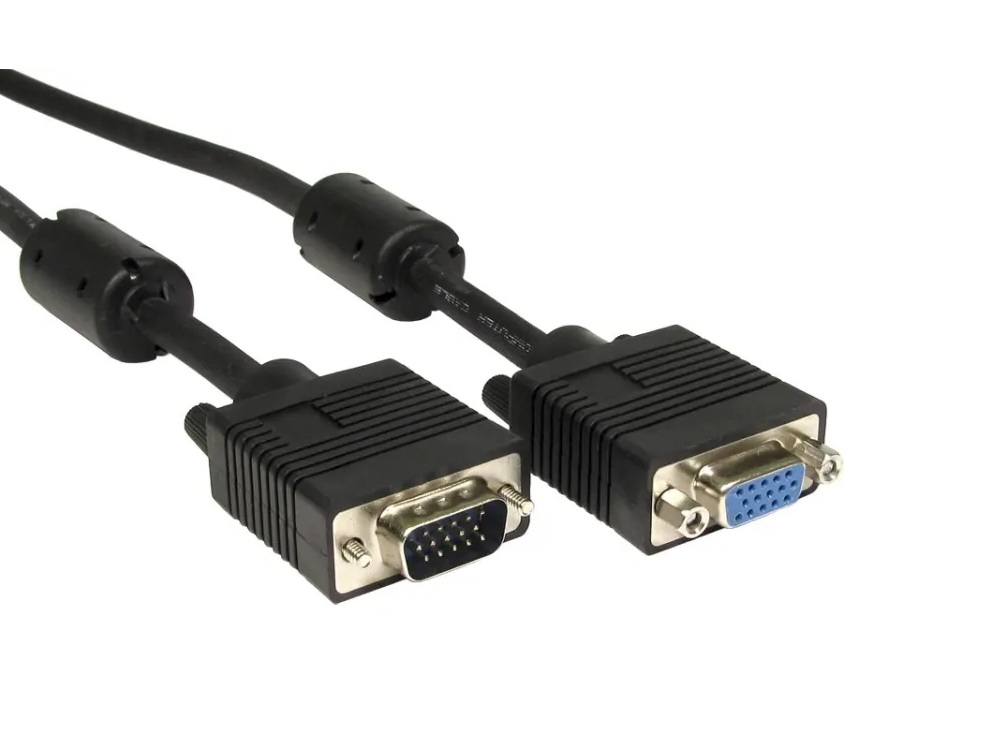
Introduced by IBM in 1987, VGA (Video Graphics Array) represented an advancement in analog video transmission. Featuring a 15-pin connector organized in three defined rows, VGA's architecture facilitated the transmission of RGB signals and synchronization data essential for delivering visual outputs. Its compatibility with CRT monitors and early LCD displays established VGA as a dominant standard in display technologies for over two decades.
During its peak usage, VGA was celebrated for delivering reliable analog signals, which were valued for their performance and consistency. At a time when digital alternatives were nonexistent, VGA's ability to withstand environmental interference and widespread hardware support enabled it to thrive across various applications, spanning personal computing to industrial systems.
VGA's analog foundation, while innovative for its time, faces undeniable hurdles within the context of modern digital environments. Signal degradation, experienced over extended cable lengths or through consecutive digital-to-analog conversions, can lead to noticeable issues such as image blurring or inaccurate color reproduction. These limitations become evident when pairing VGA with contemporary displays like LCD panels or DLP projectors, which harbor stricter visual performance requirements.
From a resolution perspective, VGA initially capped at 640x480 pixels, later extended to higher resolutions but still trailing behind today's high-definition (HD), 4K, and 8K specifications. Moreover, LCD panels, which inherently depend on digital signals, introduce additional inefficiencies when utilizing VGA. The process involves a graphics card converting digital content into analog signals for transmission, followed by the display unit reverting the analog signals back to digital, a dual-conversion process that magnifies imperfections, especially at elevated resolutions.
Despite losing dominance in mainstream use, VGA persists within specialized contexts. It remains relevant in legacy hardware ecosystems, including older projectors, certain point-of-sale systems, and industrial equipment, where transitioning to newer standards may be prohibitively expensive or operationally unnecessary.
For connectivity purposes, VGA continues to receive support through adapters like DVI-to-VGA converters, ensuring access for users reliant on older hardware. Professionals in sectors focusing on infrastructure maintenance or industrial automation often value the simplicity and reliability of VGA cables, especially in scenarios where analog technology offers unique advantages over digital systems.
VGA's gradual decline emphasizes broader technological transitions, where enhanced efficiency, higher resolutions, and seamless digital integration are increasingly prioritized. Modern digital standards, including HDMI and DisplayPort, surpass VGA in supporting main functions like encrypted data delivery and ultra-high refresh rates, essential elements for today’s media-driven and productivity-intensive demands.
Interestingly, the evolutionary trajectory of VGA mirrors a wider pattern: transitional technologies frequently bridge the gap between generations, exhibiting remarkable longevity through continuous adaptation. VGA's tenure serves as a testament to the enduring value of versatile design and backward compatibility, even as younger, more advanced standards render legacy systems obsolete.
Conclusion
DisplayPort, HDMI, DVI, and VGA each serve a different purpose based on the device, display quality, and system age. DisplayPort and HDMI are the main modern choices for high resolution, high refresh rate, and better overall flexibility. DVI still works well for video-only connections in some professional and older systems, while VGA remains limited to legacy equipment. In practice, the right cable depends on performance needs, audio support, and compatibility with existing hardware.
Frequently Asked Questions [FAQ]
1. What cables can be utilized to connect a monitor effectively?
HDMI, DisplayPort, and USB-C are the main modern options. VGA and DVI are older types still used on legacy devices.
2. How does HDMI compare to VGA for monitor connections?
HDMI uses digital signals, supports high resolution, and carries audio. VGA uses analog signals, has lower quality, and does not support audio.
Related Blog
-
How Many Zeros in a Million, Billion, Trillion?
![How Many Zeros in a Million, Billion, Trillion?]()
July 29th, 2024
Million represents 106, an easily graspable figure when compared to everyday items or annual salaries. Billion, equivalent to 109, starts to stretch t... -
IRLZ44N MOSFET Datasheet, Circuit, Equivalent, Pinout
![IRLZ44N MOSFET Datasheet, Circuit, Equivalent, Pinout]()
August 28th, 2024
The IRLZ44N is a widely-used N-Channel Power MOSFET. Renowned for its excellent switching capabilities, it is highly suited for numerous applications,... -
Battery Temperature Too Low, Charging Stopped. How to Fix It?
![Battery Temperature Too Low, Charging Stopped. How to Fix It?]()
October 6th, 2024
Mobile phone battery charging issues are common but can be effectively managed. Temperature plays a big role in battery efficiency, as smartphone batt... -
BC547 Transistor Comprehensive Guide
![BC547 Transistor Comprehensive Guide]()
July 4th, 2024
The BC547 transistor is commonly used in a variety of electronic applications, ranging from basic signal amplifiers to complex oscillator circuits and... -
Comprehensive Guide to SCR (Silicon Controlled Rectifier)
![Comprehensive Guide to SCR (Silicon Controlled Rectifier)]()
April 22th, 2024
Silicon Controlled Rectifiers (SCR), or thyristors, play a pivotal role in power electronics technology because of their performance and reliability. ... -
Fundamentals of Op-Amp Circuits
![Fundamentals of Op-Amp Circuits]()
December 28th, 2023
In the intricate world of electronics, a journey into its mysteries invariably leads us to a kaleidoscope of circuit components, both exquisite and co... -
LR621, SR621SW, 364, AG1 Battery Equivalents and Replacements
![LR621, SR621SW, 364, AG1 Battery Equivalents and Replacements]()
July 15th, 2024
LR621 and SR621SW button batteries are prevalent in compact electronic devices like watches, small toys, calculators, and remote keys. Multiple manufa... -
Comparing NMOS and PMOS Differences and Applications
![Comparing NMOS and PMOS Differences and Applications]()
November 15th, 2024
Understanding the differences between NMOS and PMOS transistors is important in designing efficient circuits. NMOS (N-type Metal-Oxide-Semiconductor) ... -
What Do STD, AGM, and Gel Mean On a Battery Charger
![What Do STD, AGM, and Gel Mean On a Battery Charger]()
July 10th, 2024
Traditional lead-acid battery chargers are known for their simplicity and reliability. They have been serving their purpose effectively for years, lar... -
A Complete Guide to Multiplexers and Their Role in Digital Systems
![A Complete Guide to Multiplexers and Their Role in Digital Systems]()
September 20th, 2025
Multiplexers are components in digital systems, designed to channel multiple input signals into a single output line using binary logic and control si...


Hot Parts
- N82586-10
- STLC7550TQF7
- MBCG61204P-101PFV-G
- M3328F-C1
- MAX8856ETD+T
- GRM1886R1H6R5DZ01D
- TACL225M010RTA
- SI53306-B-GM
- ADV476KP50
- LA25-NP
- TMK063CG070DPGF
- NDT3055
- TPS54355PWPR
- K420A4001
- MC10E141FN
- 5787834-1
- LTV847
- 08055C332JA12A
- SSTUF32864EHLF
- MMO90-16IO6
- TLE7718GK1
- LC98500DT-XE6-E
- CXD2163BR
- R8J73782A01BG
- HIP1012ACBZA-TS249
- XC2S100-5PQ208C
- AD8418ABRMZ
- LM95010CIMM
- DC289AGZGR
- STM32L162RCT6
- GS88018BGT-150
- NJM2132M
- TPS61201DRCT
- 0805ZC684KAZ2A
- DMT5015LFDF-13
- CMX469AD3
- TUSB4020BIPHPRQ1
- 12063C472KAT2A
- B39162B8839P810
- T491B225K020ZT7027
- F59L1G81LA-25T
- MC74LS04D
- PS2865-1N-F4
- M3329C-E1
- COMPAQ152327-002
- TP3420AV
- BCM4553IFSBG
- DP83869HMRGZR
- M12A-03BMMA-SL8001
- 6ES7135-6GB00-0BA1